Allocating A Payment #
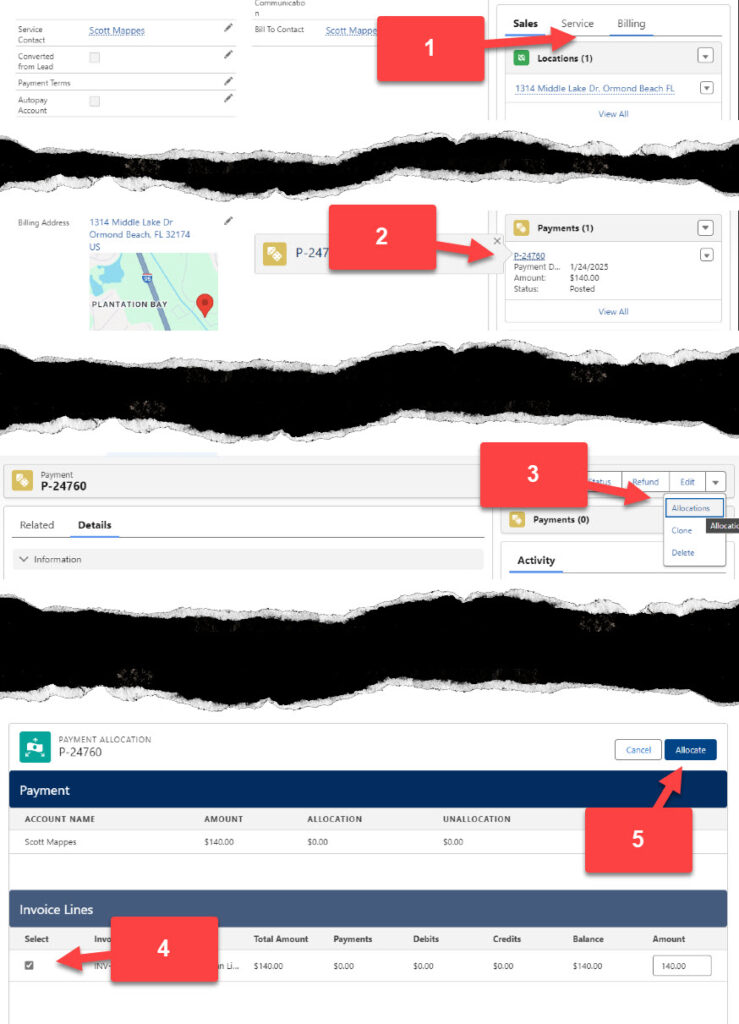
- From the customer’s account select the Billing tab
- Click on the payment that will be allocated
- From the Payment use the drop down arrow on the top right of the screen and select Allocations
- From the Payment Allocation screen select the invoice to apply the payment to and enter the payment value in the Amount box
- Click Allocate at the top of the screen