Creating a Cash, Check, or Money Order Payment #
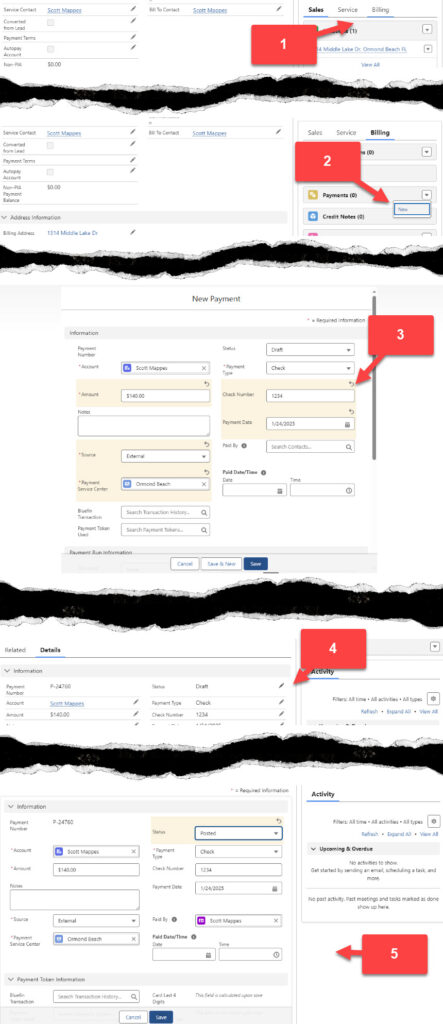
- From the Account click on the Billing Tab
- Using the dropdown arrow on the payment object, select New
- Ensure the payment is in Draft status. Enter the amount of the cash, check, or money order payment. Enter the check number if applicable. Enter the date you are scanning the check or taking the cash to the bank and posting the payment. Select External as the Source. Type the Service Center in the Payment Service Center Box. Click Save.
- Navigate to the payment that was just created and edit the payment record by clicking on the pencil.
- Verify the payment information is accurate. Change the status from Draft to Posted and click Save.