Send with Conga Sign #
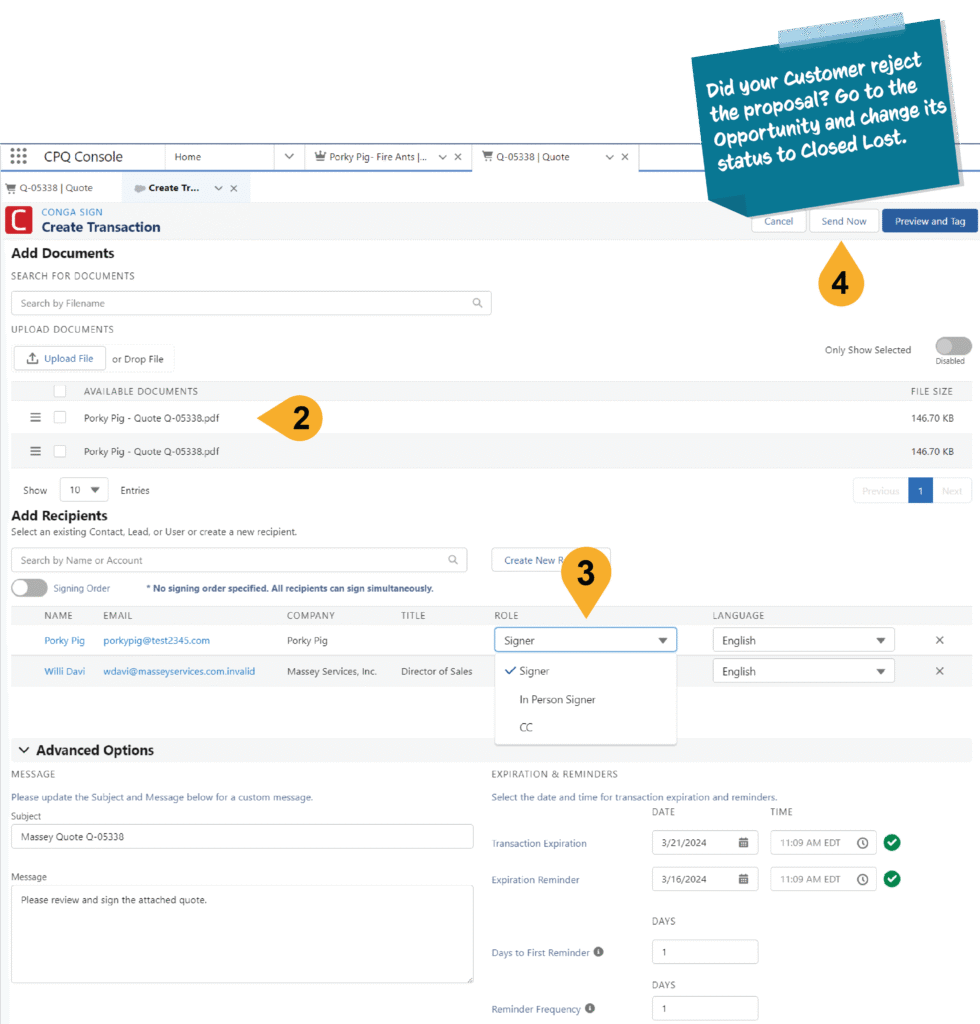
- In the Quote, choose Send with Conga Sign.
- In the new window make sure the Quote Proposal is attached to the quote.
- Decide how to sign the agreement:
- Signer: the agreement will be emailed for signing.
- In Person Signer: the agreement will be signed right there using the Sales Inspector’s iPad.
- CC: a copy of the agreement is sent, but no signature is required from the party.
- Choose Send Now/Begin Signing.
- Follow the prompts in the email/In Person Signing interface.
- Once all signatures are gathered, the Quote is accepted and the Opportunity is Closed Won.