Creating a Quote #
- Open the relevant Opportunity and click New Quote in the Quick Action ribbon.
- Select the Default Service Location in the New Quote window, then click Save.
- Scroll down and open the Quote created by Salesforce.
Adding Services to a Quote #
- In a Quote, click on Edit Lines.
- Click Add Products.
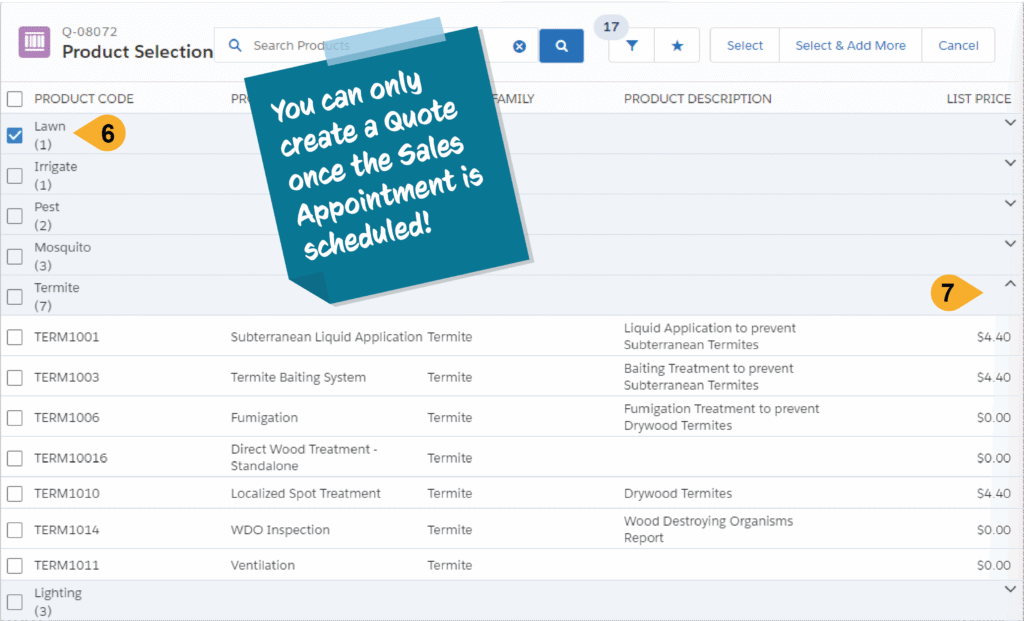
- Select the services using the check boxes.
- Use the down arrows to expand a category to choose a specific service.
- Click Select to save