Batch Payments #
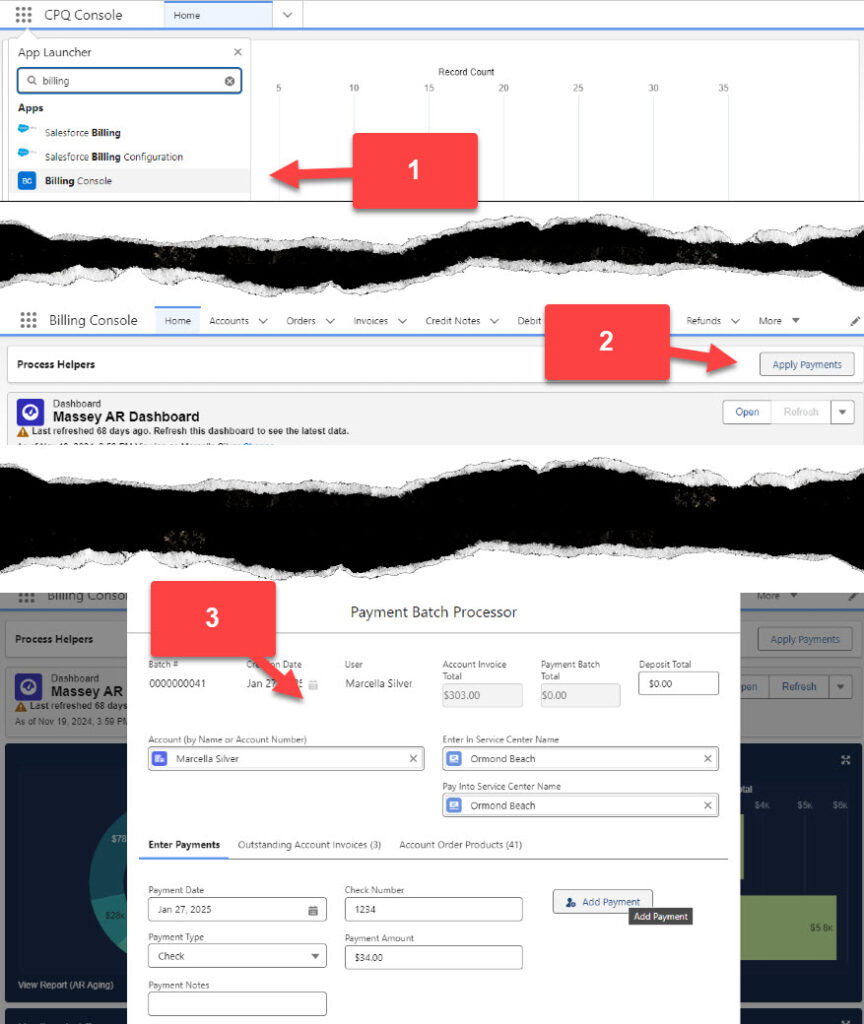
- Navigate to the Billing Console
- From the Home Screen of the Billing Console Click on Apply Payments
- On the Payment Batch Processor screen, type the name of the customer or the legacy account number.
- Select the customer that will be receiving the payment.
- Select the Payment Date and Type.
- Enter the payment amount and any necessary payment notes.
- Enter the Service Center that is receiving and will scan the check to the bank.
- Enter the Service Center that the payment will be posted to.
- Click Add Payment.