Creating a Termite or Bait Warranty Invoice #
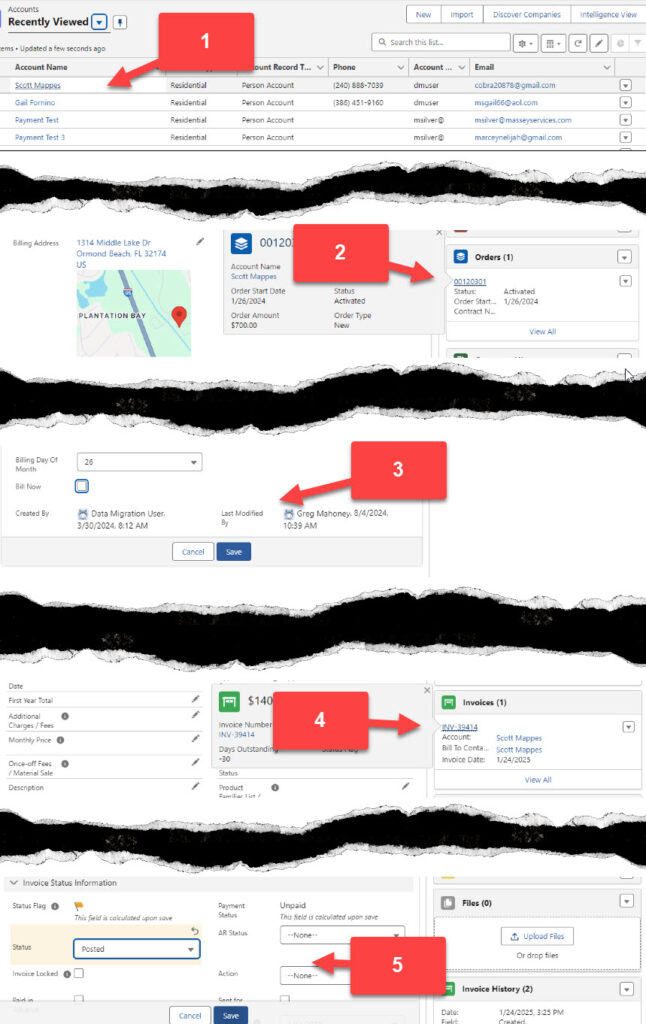
- Click on the customers account from the account screen
- From the customer account, select the Sales Tab. Navigate to the order for the Termite or Bait program.
- Check the box next to Bill Now and Save.
- Scroll up on the order to view the Warranty Invoice (Renewal Invoice) in the related list and click on the invoice. Verify the value of the invoice is accurate.
- Update the status from Draft to Posted and click Save.