Adding a Saved Token to Autopay #
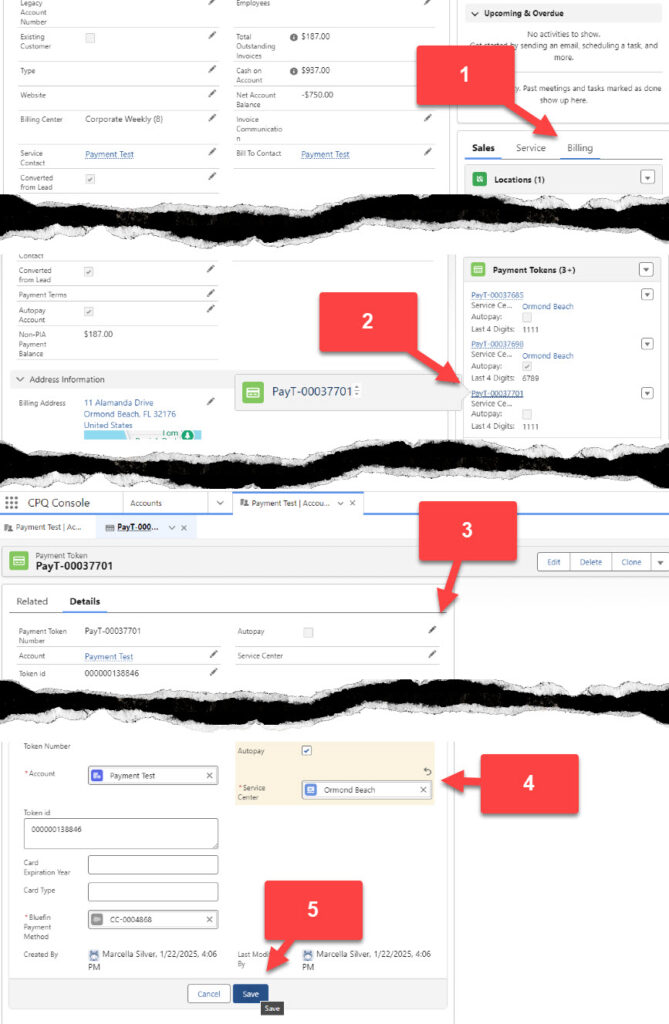
- From the customer’s account, select the Billing tab
- Click on the Payment Token the customer wants to add to autopay
- Edit the token by clicking on the pencil
- Check the box next to Autopay and select the Service Center that will be added to autopay.
- Save the changes.