All applicators of fertilizer must have their BMP Training Certification in order to be able to apply for a DACS Limited Fertilizer Applicator ID Card. The Fertilizer Applicator ID Card is in addition to the standard DACS Pesticide ID Card. They need to have, and carry, both.
Step 1: Complete the GI-BMP Training Courses
- There are 6 modules of videos and practice
- You will need speakers or headphones
Step 2: Create a GI-BMP Account
- GIBMP website https://gibmp.ifas.ufl.edu/
- Create your user log in
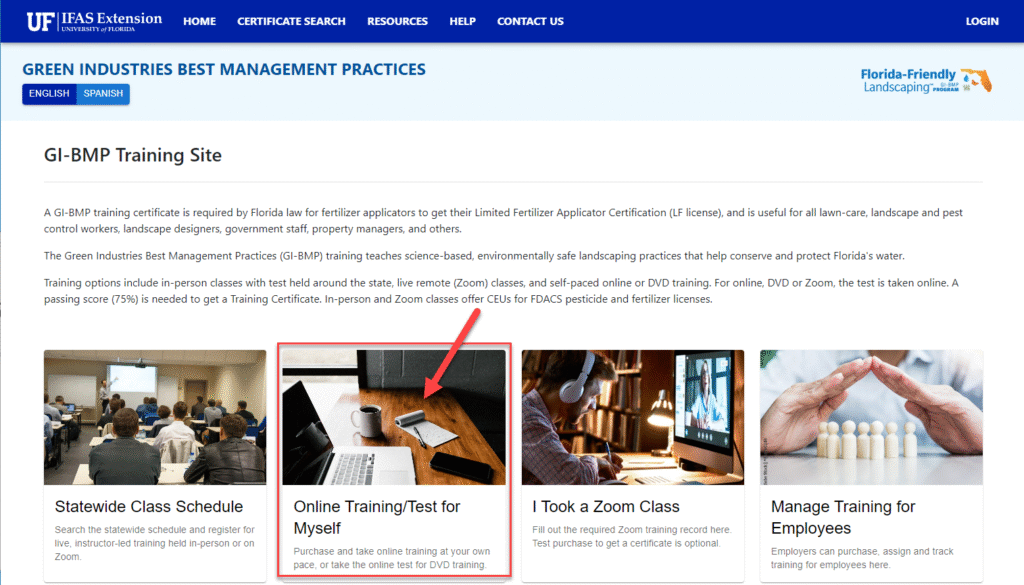
- Select the Online Training/Test Myself option
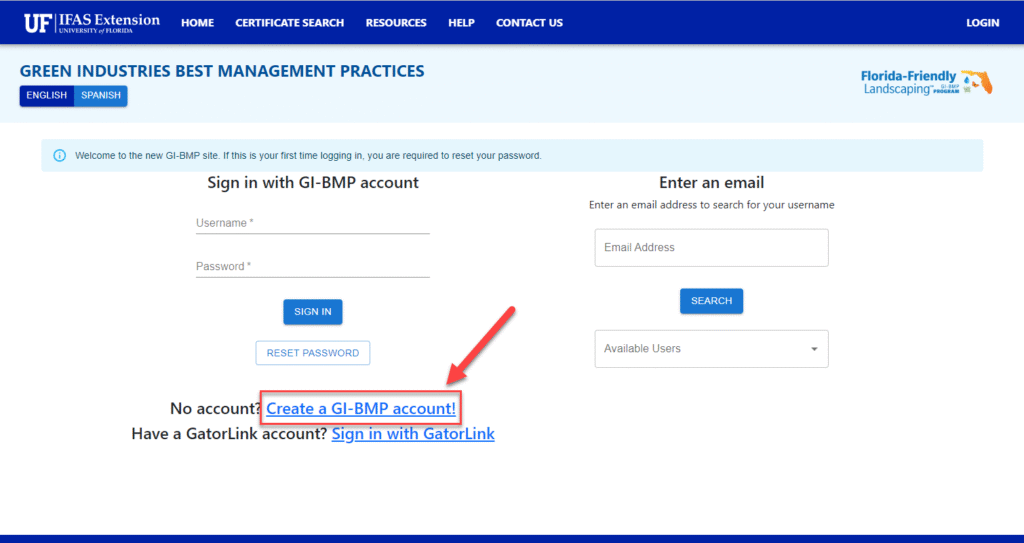
- Click Create a GI-BMP Account to create a new account
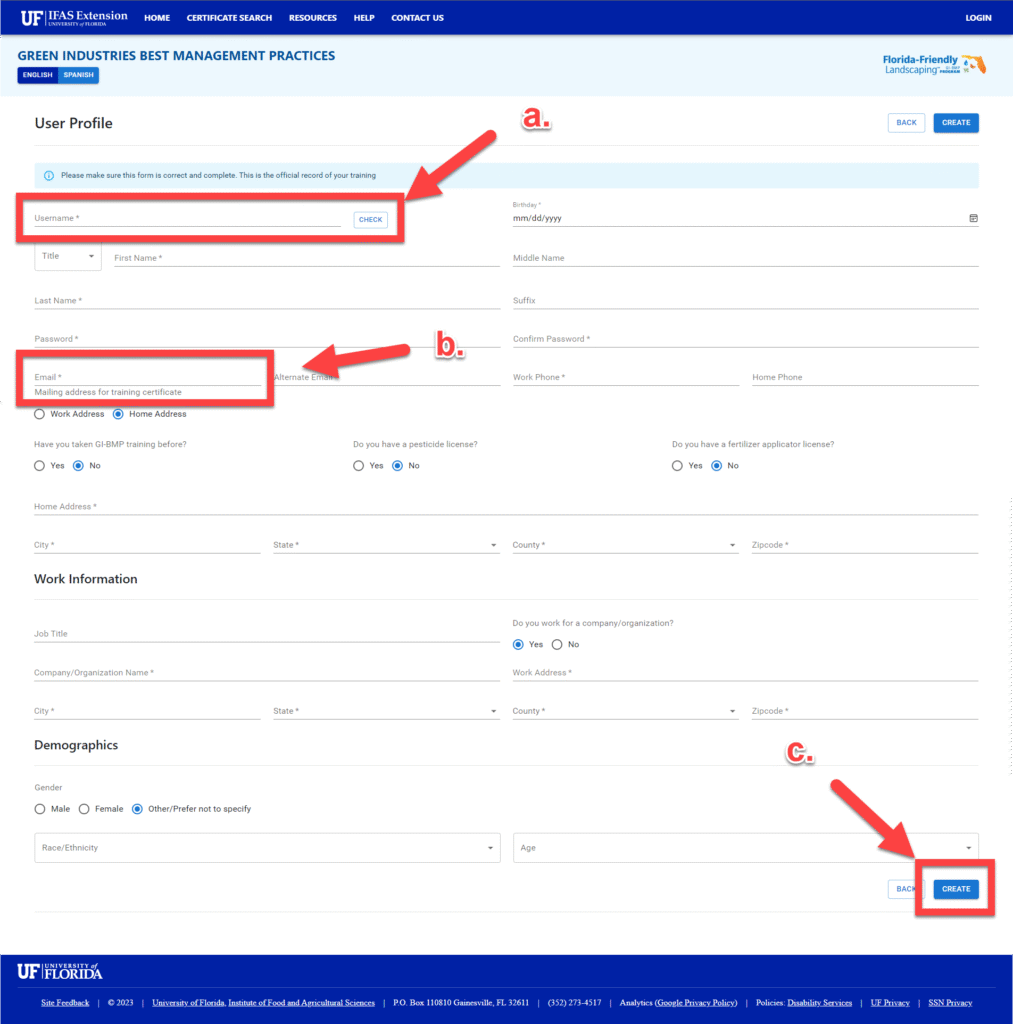
- Create username and then select the CHECK nox to ensure that the username is not already in use.
- Add your PERSONAL EMAIL ADDRESS if you do not have an assigned Massey email address. Each email address is tied to a specific account; you will not be allowed to use the same email address for multiple accounts.
- Fill out all the required information (*) and select the CREATE button.
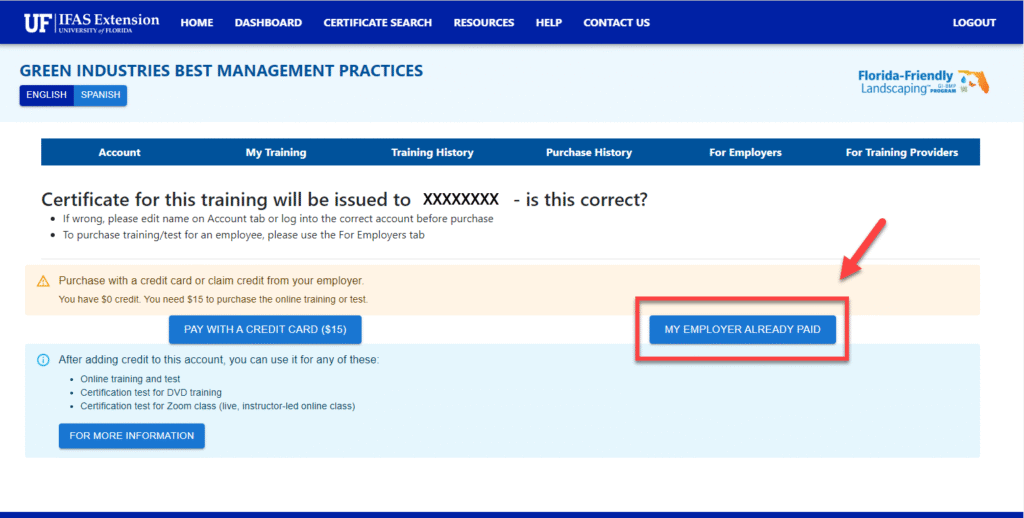
- Select the MY EMPLOYER ALREADY PAID button.
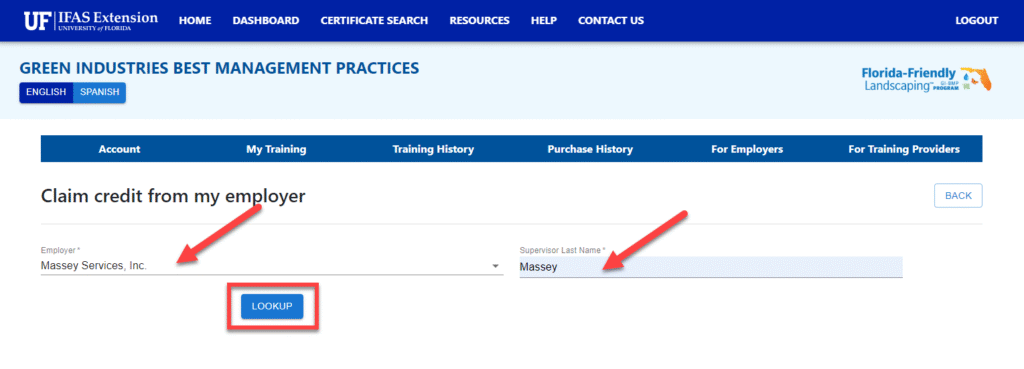
- In the Employer input, type in exactly Massey Services, Inc. and in the Supervisor Last Name input, type in exactly Massey. After adding this information, select the LOOKUP button.
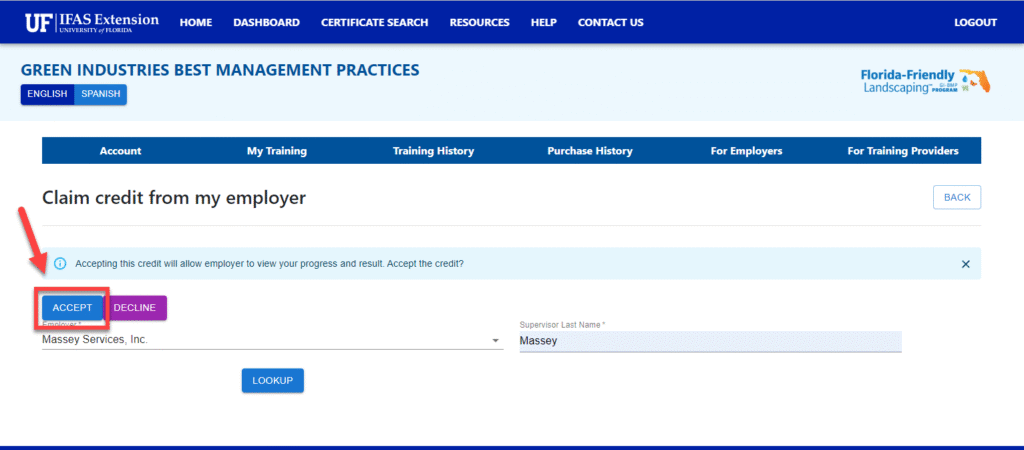
- Select the ACCEPT button to accept the payment credit.
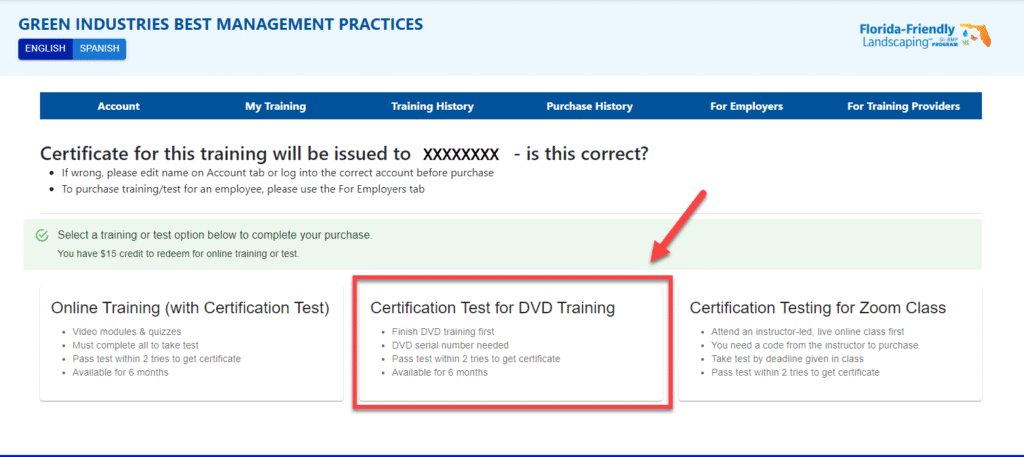
- Select the Certification Test for DVD Training button.
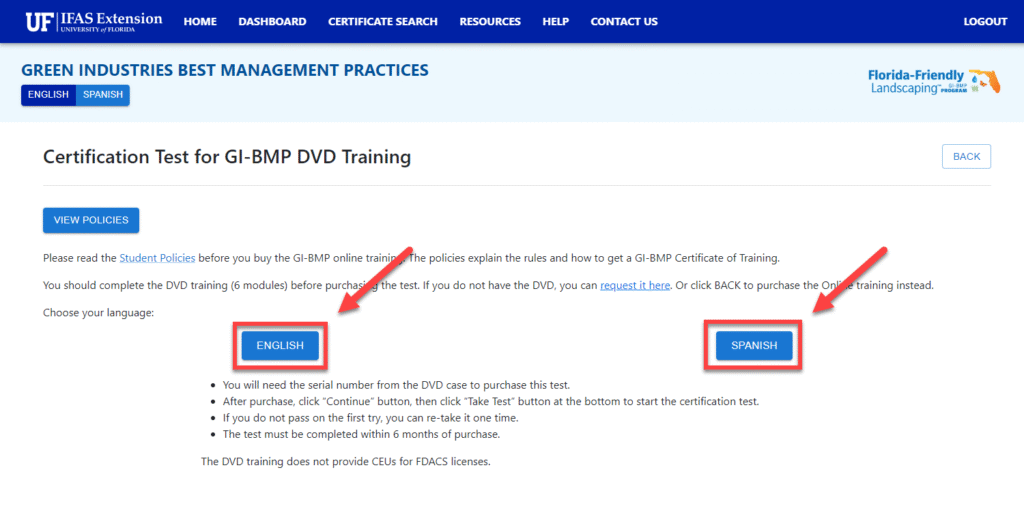
- Select you preferred language by clicking on either the ENGLISH or SPANISH button.
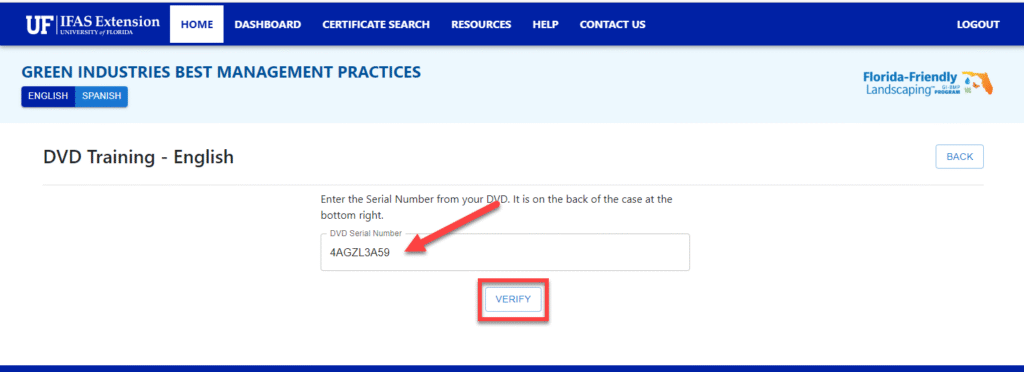
- Type in the DVD Serial Number 4AGZL3A59 exactly and select VERIFY.
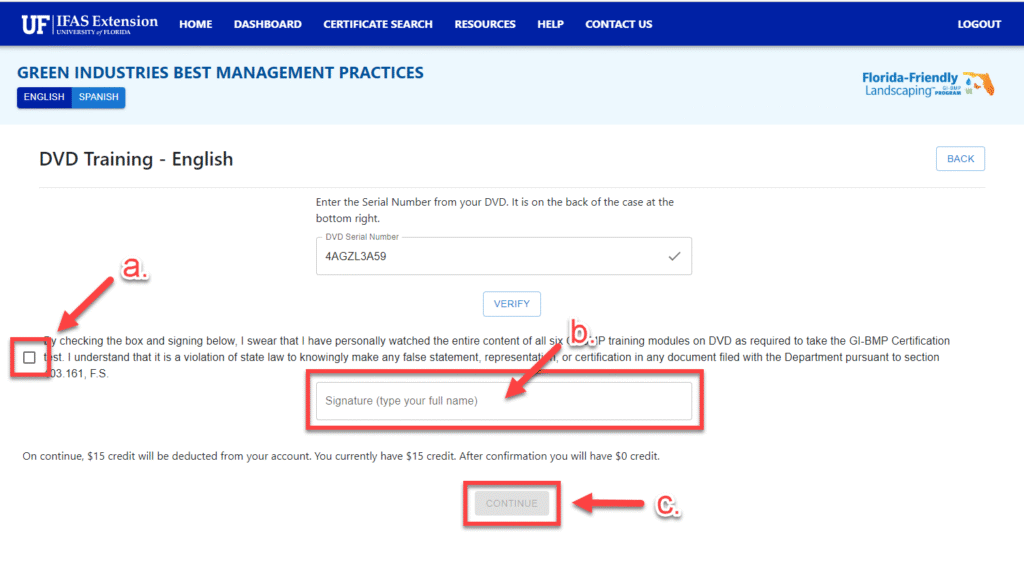
- Check the box that indicates that you watched the GI-BMP training modules.
- Type in your name as you inputted it to create your account.
- Select the CONTINUE button.
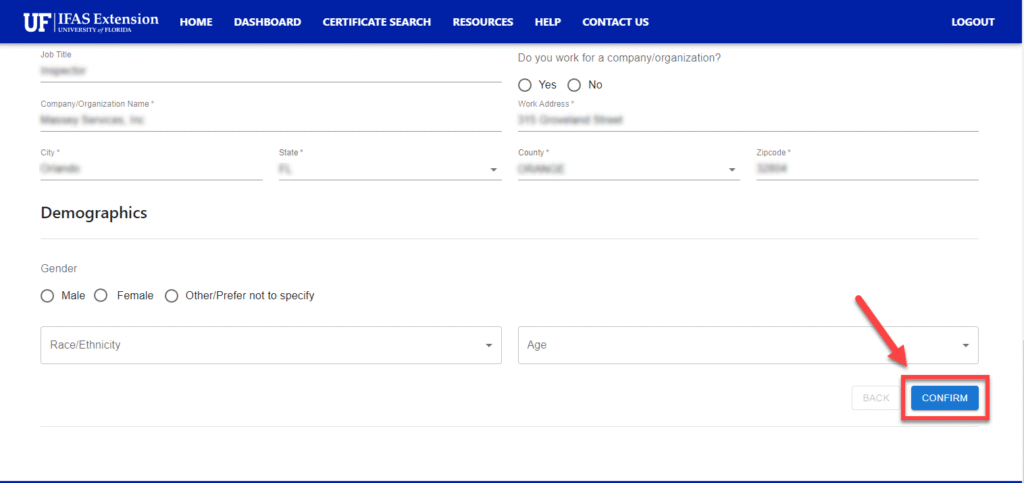
- Verify that the information presented on the screen is correct and then select the CONFIRM button.
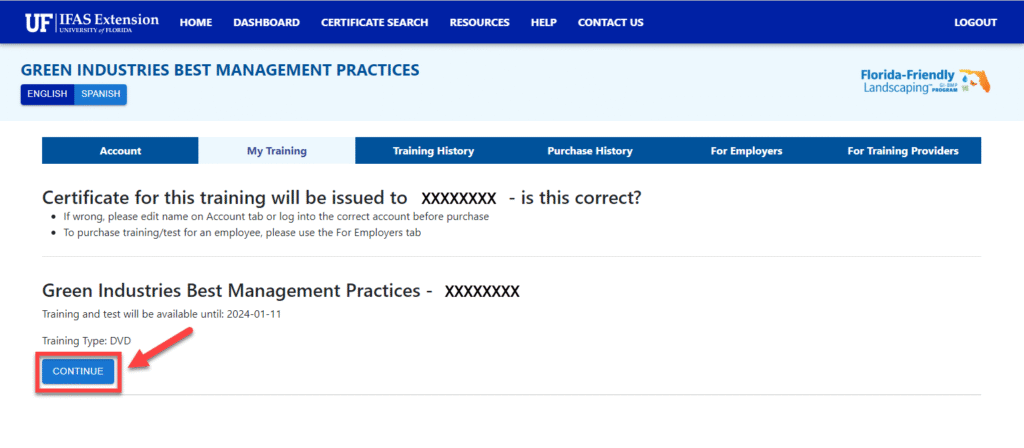
- Select the CONTINUE button.
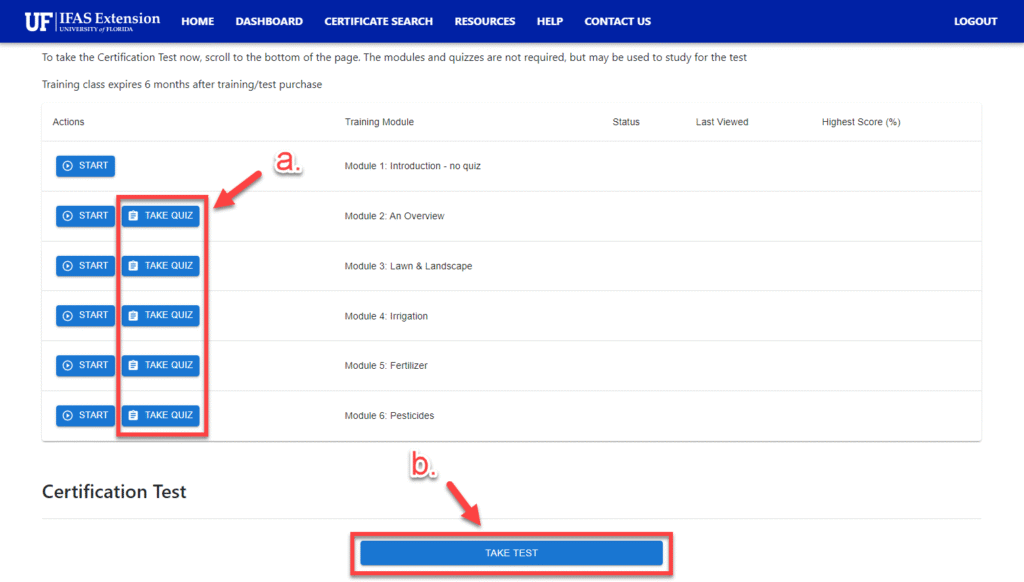
- Complete the practice quizzes for each module.
- After completing the quizzes, select the TAKE TEST button.
Step 3: Pass the GI-BMP Test
The Team Member’s BMP certification will be emailed to the email address that you registered. Once you receive the BMP certificate, you will need to print a copy for the Team Member’s training file and upload the document to the Initial Training Paperwork Upload Portal and select the BMP 1000 option under the Licesning, Certifications, & Regulatory option.